
 UK English
 Español
 Português


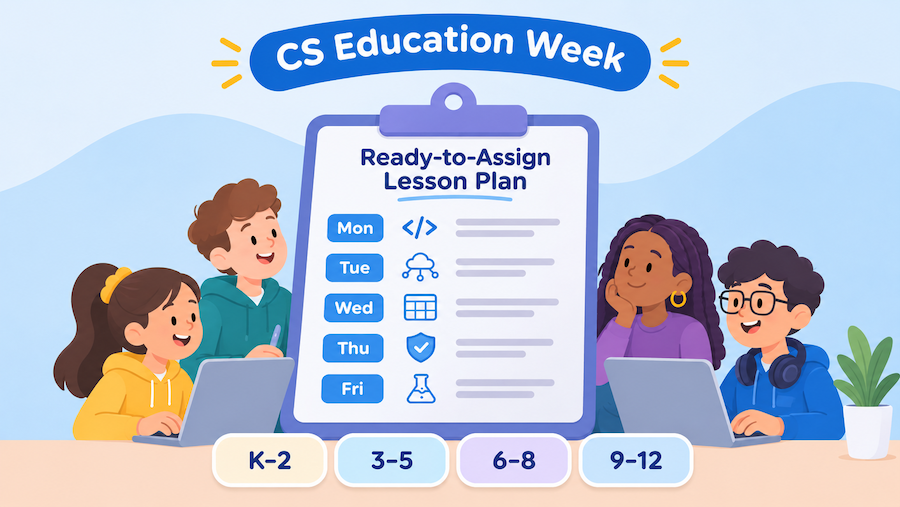
Computer Science Education Week runs December 7 to 13, and we've made it easy for your students to join in. Every grade band, K through 12, gets a set of lessons for each school day, and every lesson is already in your Typing.com curriculum. There's nothing to build. Just find your grade band and assign.
What's New?
We've put together a one-page CS Education Week Lesson Plan you can download, print, and pass along to your colleagues. A daily theme builds from how computers work to how AI learns. The plan covers:
-
Five days of lessons, Monday, December 7 to Friday, December 11
-
Four grade bands: K–2, 3–5, 6–8, and 9–12
-
Quick setup steps so you can schedule the whole week in about five minutes
FREE RESOURCE PDF
Download the CS Education Week Lesson Plan (PDF) »Want more free resources? Jump to 15 new Grace Hopper typing lessons ↓ you can add directly to your Typing.com account.
How Does It Work?
The week builds one step at a time. Students start with how a computer works and how data behaves, move into how AI learns and how to use it responsibly, and finish by connecting computer science to a subject they already study.
Five days, five themes
-
Monday, December 7: Know the machine. Students get to know their devices, files, hardware, networks, and the cloud.
-
Tuesday, December 8: Data and logic. Younger students spot patterns, while grades 3 and up enter data and write simple formulas in a spreadsheet.
-
Wednesday, December 9: How computers learn. Grades 3–12 explore what AI is and how machine learning works. K–2 practices logging in safely.
-
Thursday, December 10: Use it wisely. Students learn how to stay safe online, use AI responsibly, and spot when AI gets it wrong.
-
Friday, December 11: CS + X. Computer science meets science, coding, and social studies, while K–2 wraps up with a review of the week's tech skills.
Got a class that finishes early? Each unit has more lessons to explore, like Privacy & Personal Information (grades 3–5), Using AI Responsibly & Safely (grades 6–8), and HTML: The Structure of a Webpage (grades 9–12). Grade 2 classes can also try All About Me, One Slide.
Bonus: Grace Hopper typing lessons
Wednesday, December 9 would have been computer pioneer Grace Hopper's 120th birthday, so we made typing lessons for every grade band to celebrate her.

New custom lessons you can add to your account
Choose your grade band, then click any lesson to add it to Custom Lessons in your Typing.com account. From there, you can preview it and make it available to your classes.
- Grades K–1: Code Letters, Bug and Bot Letters, Word Families
- Grades 1–2: Meet Grace Hopper, Computer Vocab, Grace Hopper and Code
- Grades 3–5: Who Was Grace Hopper?, The First Bug, Code in Plain Words
- Grades 6–8: Math Professor to Navy Officer, Bugs and Nanoseconds, Compilers and COBOL
- Grades 9–12: A Career in Uniform, Compilers, FLOW-MATIC, and COBOL, The Story Behind the Bug
Where Can I Find It?
Setup takes about five minutes, and you only need to do it once before December 7.
-
Download the plan. Grab the CS Education Week Lesson Plan (PDF) and find your grade band.
-
Preview the lessons. In the Teacher Portal, go to Curriculum > Beyond Typing, then open the unit listed under each lesson.
-
Schedule the week. Go to Assignments > Create an Assignment and create one assignment for each day. Pick that day's lessons, set the Open Date to that day, and set the Due Date to Friday, December 11. Repeat for the other four days.
That's it! Each assignment unlocks on its date, so your students see a new set of lessons every day with no extra prep from you. Assigned lessons open on their date even if the unit is hidden in your class lesson list. Prefer to assign as you go? Just skip the open date. For step-by-step help, check out How to create an assignment.
A quick note on access: Assignments and some lessons in the plan are part of Typing.com PLUS. On a free account, you can still preview the whole plan and use its free lessons with your class.
How Does This Help Me?
December is busy enough already, right? This plan lets you bring computer science into your classroom without adding to your to-do list.
-
Skip the prep. Every lesson is already in Typing.com and ready to assign.
-
Plan ahead and step back. Schedule all five days in one sitting, and the lessons unlock on their own.
-
Make it your own. Use the full week, pick a few days, or drop a single lesson into the plans you already have.
-
Share with your team. The one-page PDF is easy to pass along to colleagues who want to join in.
Ready to celebrate? Download the plan, schedule your week, and let the lessons do the rest. Happy CS Education Week!