
 UK English
 Español
 Português





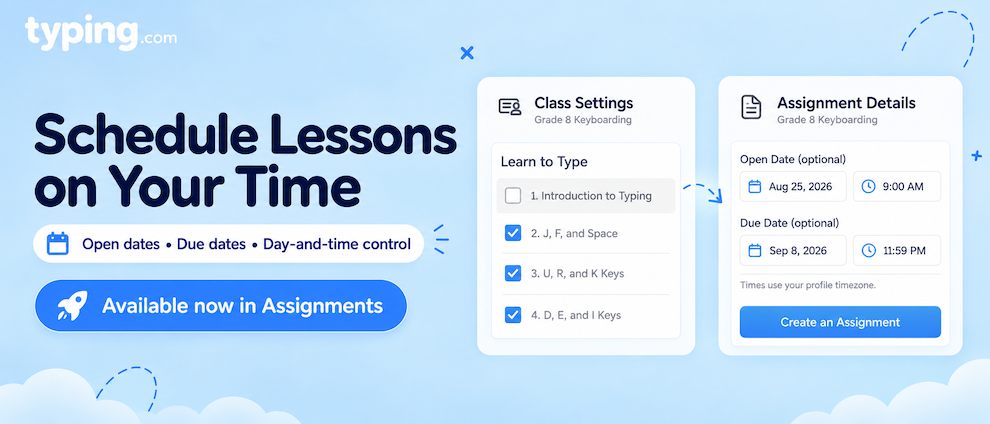
Want to decide exactly when a lesson shows up for your students - and exactly when it goes away? You can now schedule your lessons as far out as you want, right down to the day and time.
What's New?
Assignments - a PLUS feature - can now have an Open date and time in addition to the Due date and time they already had. Both are optional, so you can set one, the other, both, or neither.
Want to be sure students can't start a lesson until you're ready for them to? Turn it off in your Class Settings, then assign it. It'll open on the date and time you set, and only inside that assignment.
Games work the same way - turn one off, assign it, and students can play it when the assignment opens.
How Does It Work?
Both methods start from the same place: a lesson that's turned off in your Class Settings, so students can't get to it yet. What changes is how you let them in.
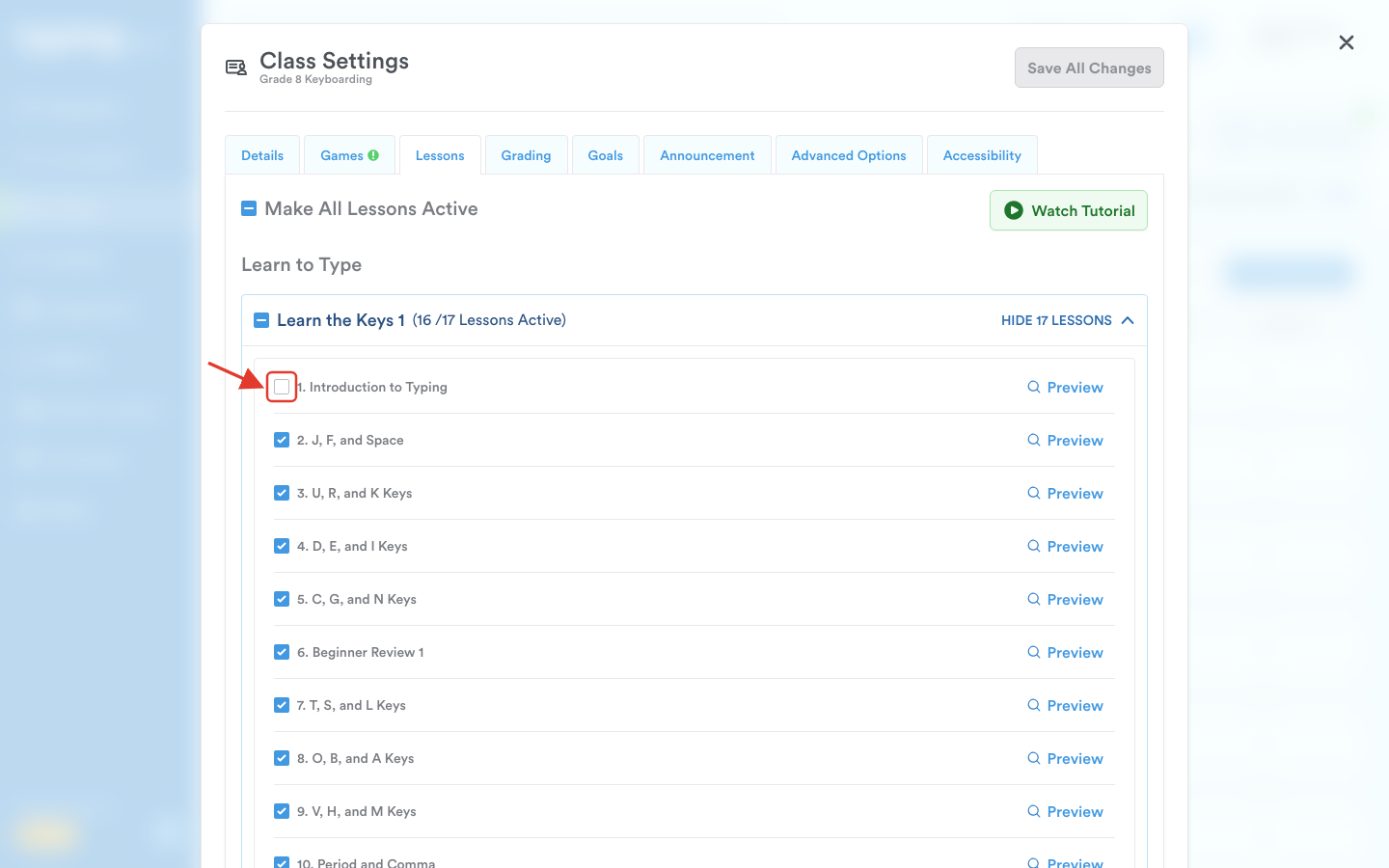
Method 1: Turn lessons on and off
This is the just-in-time approach, available to everyone. Open your Class Settings, find the lesson list, and flip a lesson on when you're ready for students to work on it. Turn it back off when you're done.
It's immediate, it's simple, and it's great when you want the whole class moving together at your pace. Every teacher has this one, free accounts included.
Method 2 (NEW): Schedule it with an assignment
This is the plan-ahead approach. Assignments are a PLUS feature, so this one comes with your PLUS account.
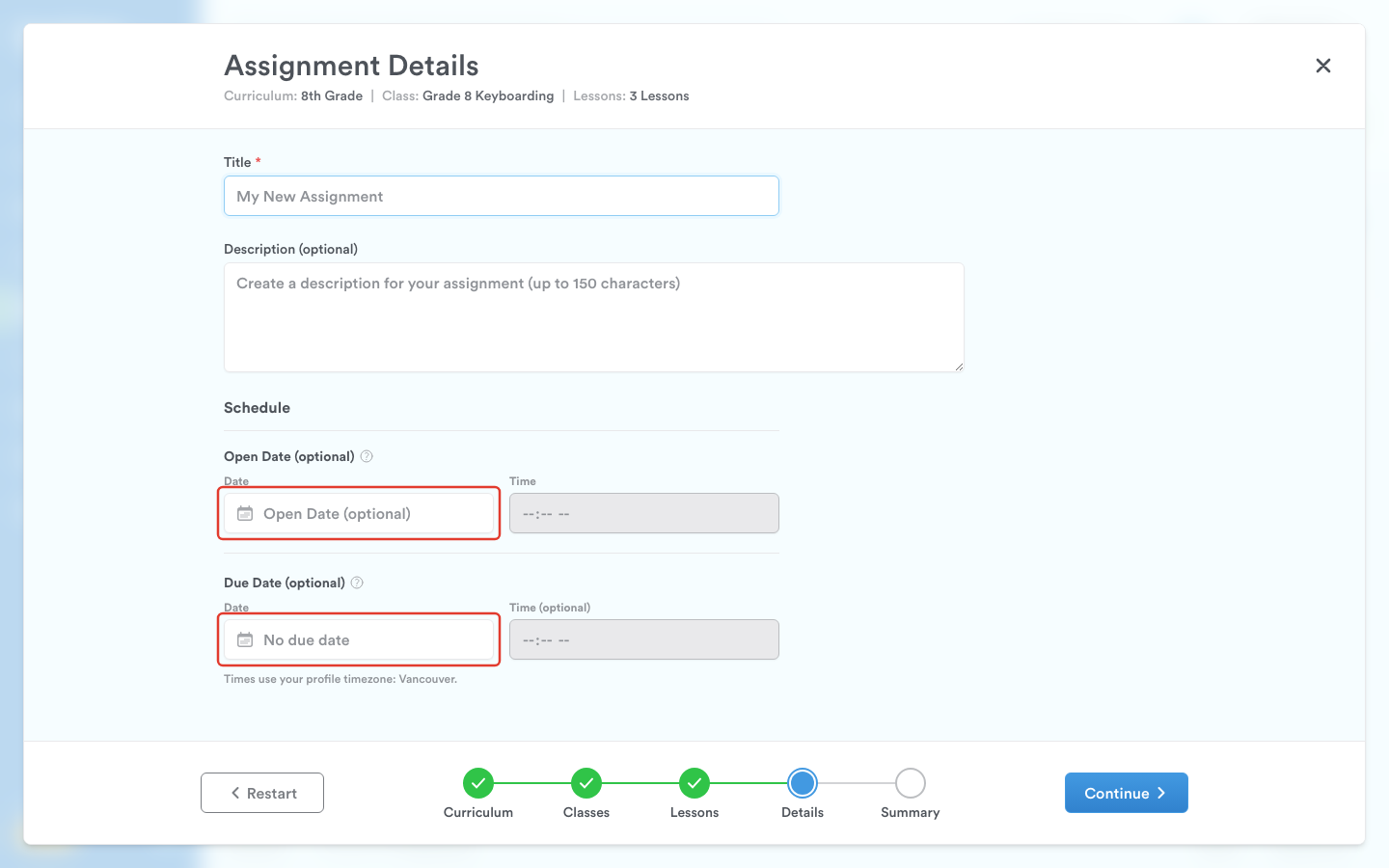
Leave the lesson off and build an assignment around it instead, with a window of your choosing:
-
Open date only - the lesson appears on the day and time you choose, then stays available indefinitely.
-
Due date only - students can start right away, and it wraps up on your deadline.
-
Both - the lesson appears and disappears on your schedule, no action needed from you.
-
Neither - it's available as soon as you create the assignment, for as long as you leave it open.
Dates and times run on your timezone, so "Monday at 8:00 AM" means what you think it means.
And as always with Assignments, you can choose exactly who gets it. Start by picking the curriculum you're working from, then send the assignment to a single class, several classes at once, or even specific students.
What your students see
While the assignment is open, the lesson shows up in one place: that assignment. It doesn't appear in their regular lesson list, and it doesn't show up for anyone you didn't assign it to.
When the assignment comes due and has been completed, the assignment and the lessons inside it disappear. Nothing to clean up.
Mix and match
Most teachers won't use one method exclusively. Leave your core path switched on so students always have somewhere to go, then schedule assignments around it - a new unit next Tuesday, a Friday game, a lesson you're saving for after winter break.
And if you'd rather map the whole semester out in one sitting? You can. Give every lesson its own Open and Due window, and your class rolls out on its own from there.
Students won't hit a dead end
Scheduling tightly can leave stretches where a student finishes everything that's currently open to them. They'll still have plenty to do:
-
Problem Keys is always available, so they can keep drilling the keys giving them trouble.
-
Games are on by default, so unless you've switched them off, students can play.
-
Completed lessons can be replayed for all 3 stars - as long as those lessons are still switched on.
One thing worth knowing: turning a lesson off removes it from your students' lesson list even if they've already finished it. So if you want students going back to improve their stars (accuracy), leave those lessons on.
Where Can I Find It?
Both controls are already where you'd expect:
-
Lesson on/off toggles live in your Class Settings, in the lesson list.
-
Assignments live on the Assignments tab inside a class, or on the global Assignments page if you're juggling several classes. Open and Due dates are set when you create or edit the assignment.
It's all live right now, and there's nothing to enable first.
How Does It Help Me?
This is really about getting time back:
-
Set it up once. Spend an afternoon before the semester scheduling your lessons, then stop thinking about it.
-
Nothing appears early. Students can't jump ahead to next month's lesson, because it isn't there yet.
-
Nothing lingers. Already Due assignments clear themselves out, so there's no mental checklist of what you turned on and forgot to turn off.
-
Keep the lesson list focused. Students see the path you want them on, not everything that's ever been switched on.
-
Differentiate quietly. Assign an extra challenge to one student, or a specific lesson to a small group - the rest of the class never sees it.
-
Hand out games on purpose. Schedule a game for a specific day instead of leaving it open all week.
Give it a try with your next lesson - turn the lesson off, then create an Assignment with an Open date and watch it show up right on schedule.