
 US English
 UK English
 Português





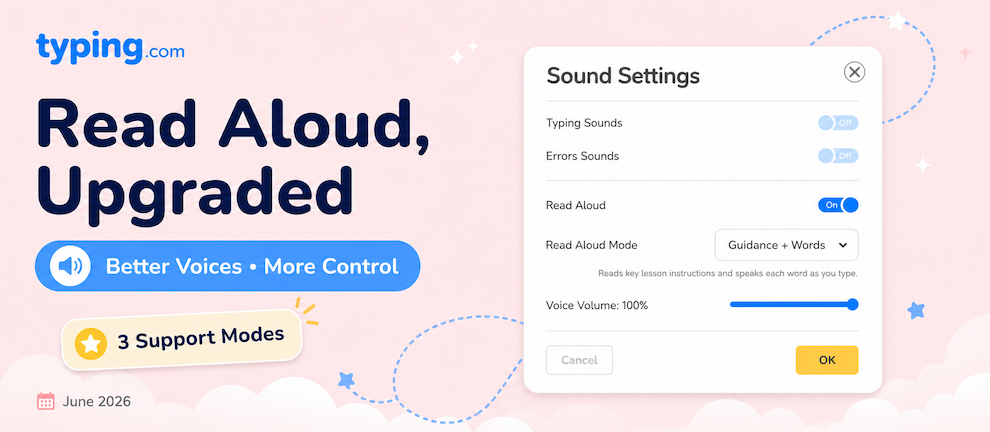
Read Aloud reads each lesson screen to your students in clear, lifelike voices — matched to both their grade level and the World they're playing in. And students can choose how much they want read to them. Here's how it works.
What's New?
Lifelike voices that hold attention
Read Aloud uses natural, expressive voices — clear, well-paced, and genuinely enjoyable to listen to. They're so engaging that they keep students tuned in to the lesson, and so high quality that we suggest turning Read Aloud on for just about every student, when possible.
Help that fits each student
Not every student wants the same amount of narration. Some just want to hear the lesson intro and the word coming up next; others want every keystroke and finger movement guided in real time. Read Aloud comes with three levels of support, so each student gets exactly as much — or as little — as they want.
How Does It Work?
Three Read Aloud modes
Students (and soon, you) can pick from three levels of support:
-
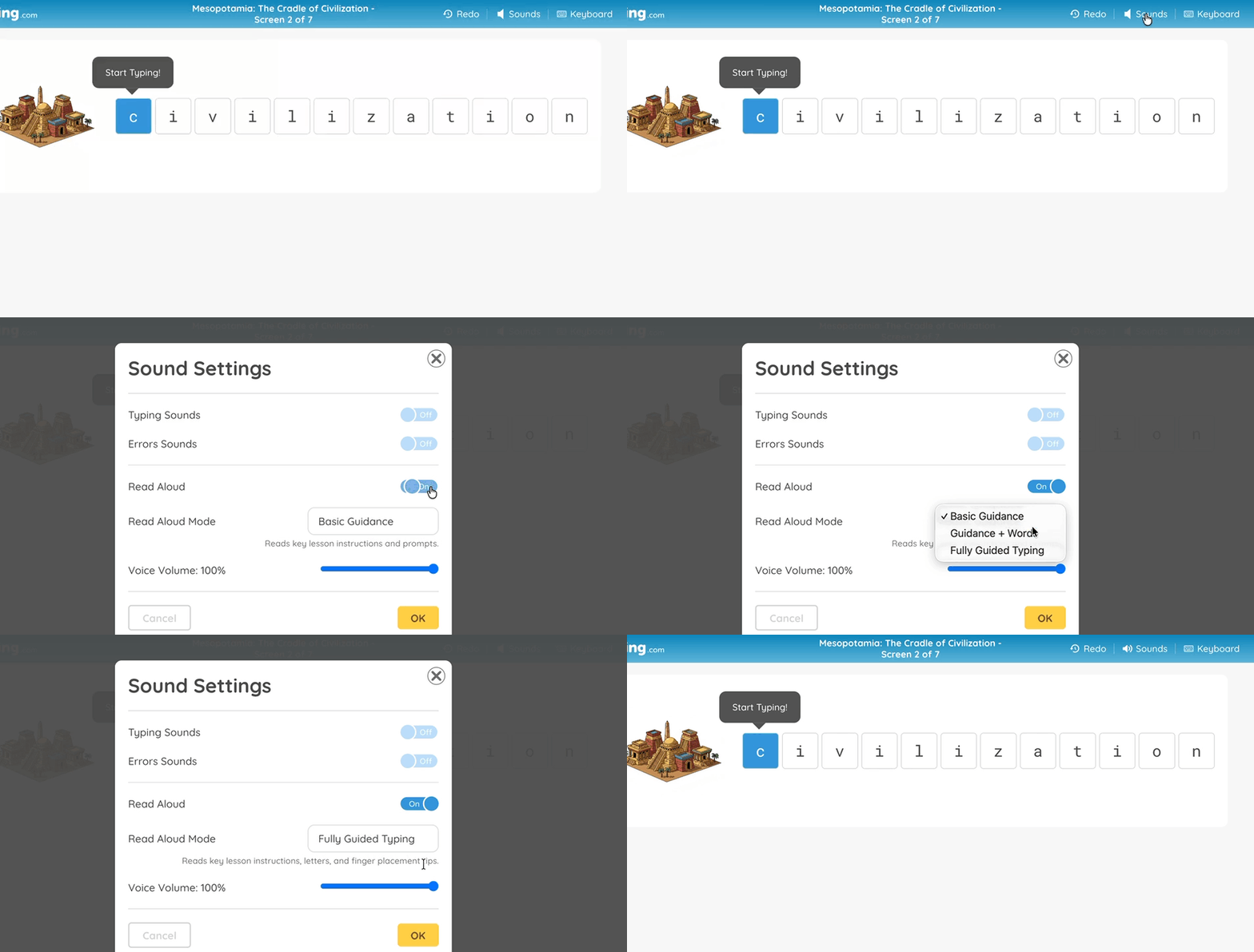
Basic Guidance — reads lesson intros, on-screen prompts, success messages, and quiz questions and answers.
-
Guidance + Words — everything in Basic Guidance, plus each word and letter as students type.
-
Fully Guided Typing — everything above, plus real-time finger cues like "Move your right ring finger up to type the O key."
Voices that fit the student
Read Aloud serves a different narrator depending on a student's grade band — K–2, 3–5, 6–8, and 9 through Adult — so younger learners get a voice built for them, and older students get one that fits, too.
And when a student is working in a themed World, the narration switches to that theme's character — like the Wizard in Pixel Kingdom or the Cat Wizard in Princess Adventures. Best of all, it's the same voice from the lesson videos, so the character teaching your students is the same one guiding them as they type.
Where Can I Find It?
Read Aloud lives inside Sound Settings in the lesson screen. Turning it on defaults to Basic Guidance, but students can switch to a more involved mode — or up to full coaching — anytime from there.
Coming Soon
Teacher controls are on the way. Soon you'll be able to set a Read Aloud mode for a whole class or for individual students, so you can dial in the right level of support without leaving it to each student to choose.
Turn on Read Aloud and let your students hear it for themselves — we think they'll love it!