
 US English
 UK English
 Português




Typing.com just got a major upgrade, and your students are going to feel the difference.
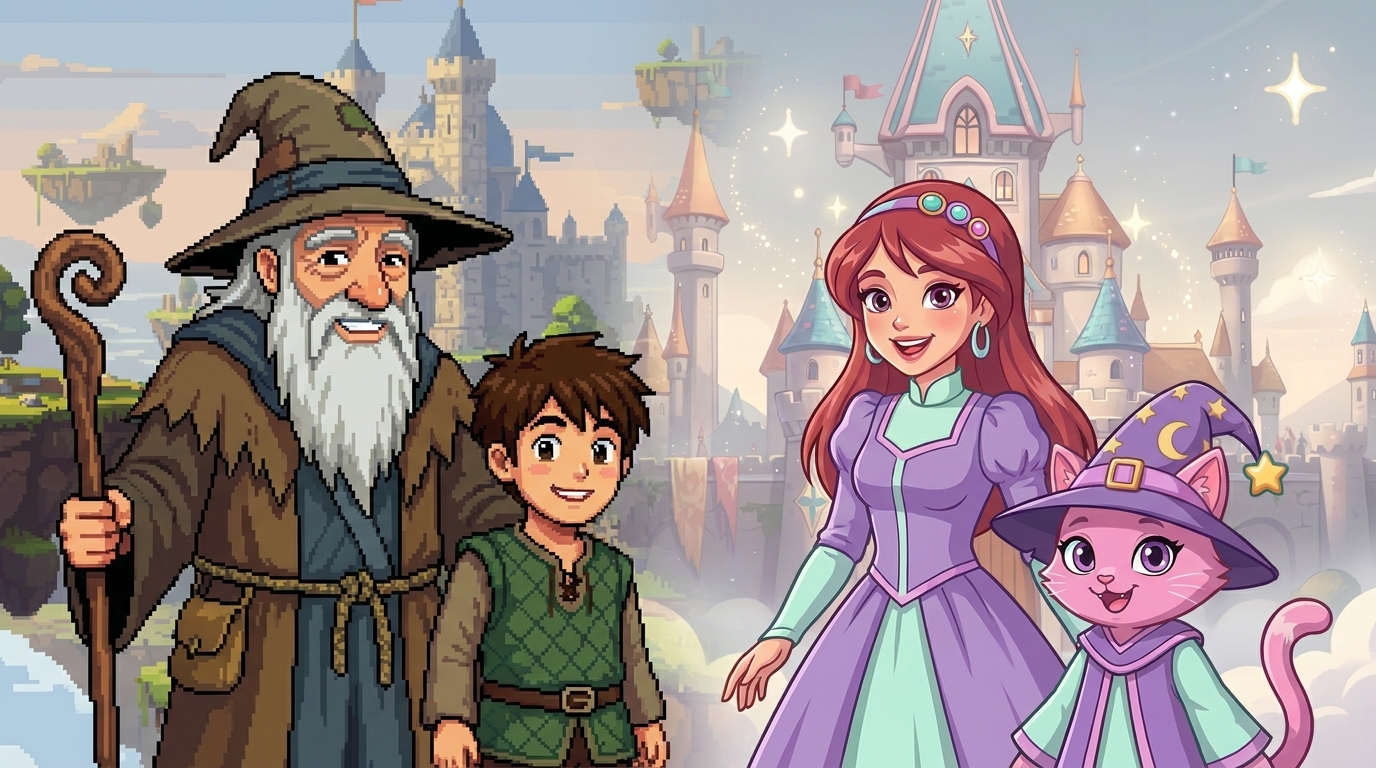
Head over to the Themes section and you'll spot something new: the first two Worlds have arrived.

What's a World?
Worlds are a whole new way to experience Typing.com. Unlike themes, Worlds are fully immersive; each one comes with its own characters, environments, and mascot guide that show up throughout the lessons themselves, not just in the background. The more your students type, the deeper they go. The first two are here now: Pixel Kingdom and Princess Adventures.


Hands That Actually Show the Way
The keyboard hands have been completely rebuilt. Where the old hands gave students a basic visual guide, the new animated 3D hands are character-matched, fluid, and far more precise, showing exactly which finger lands on which key in real time.
A Reason to Keep Coming Back
Students level up as they type, and each World tracks their progress separately. That means there's always something new to work toward, whether they're returning to a World they love or exploring one for the first time. Students level up faster than before, so there's more to discover every semester.

Your Existing Themes
All existing themes are still available for now, and your students keep whatever level they had in them. But when jumping into a new World, everyone starts fresh at Level 1.
Pixel Kingdom and Princess Adventures are just the beginning. More Worlds are on the way.