
 US English
 UK English
 Português





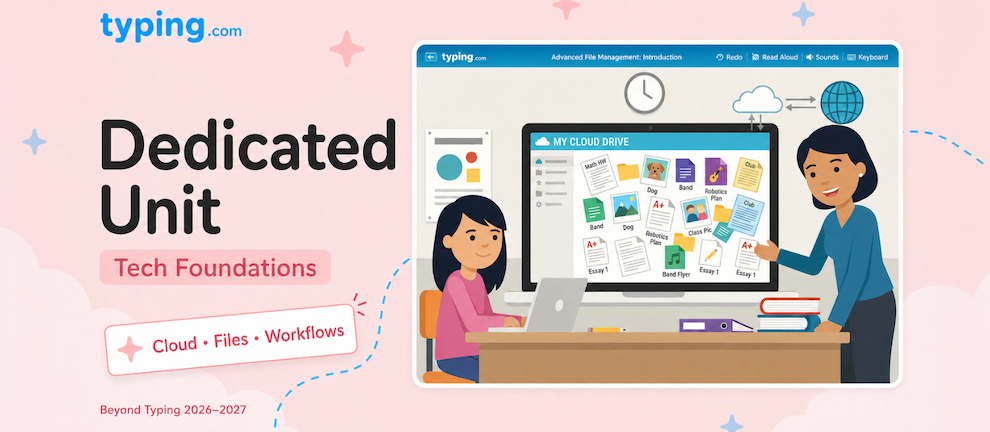
Until now, the digital skills your students need to actually use technology-keyboards, logins, productivity workflows, cloud computing, networking-have been crammed into the same unit as digital citizenship. It worked, but tech literacy was always competing for space alongside citizenship lessons, and neither could go as deep as it should.
We've fixed that. Technology Foundations is a brand-new, dedicated unit pulled out of the old Digital Citizenship & Communication bundle. By giving tech literacy its own home, both this unit and the rebuilt Digital Citizenship unit can finally go deep on what they're each best at.
What's New?
Technology Foundations scales from "what is a keyboard?" all the way to systematic troubleshooting and data architecture, with four dedicated grade bands that match the complexity to the student.
K-2: The Basics, Done Right
The youngest students start with the absolute fundamentals: keyboards, logging in, passwords, basic device familiarity, and printing. These are the skills that make every other digital learning experience possible, and they deserve dedicated instruction-not a bullet point inside a citizenship lesson.

3-5: Building Real Workflows
By third grade, students move beyond "what's a mouse" into productivity workflows, computational thinking basics, and digital communication. They start learning how to organize files, communicate appropriately in different digital contexts, and think about problems in the structured way that underpins everything from coding to data analysis.

6-8: Cloud, Networking, and Computational Thinking
Middle schoolers go deeper with cloud computing, networking fundamentals, and computational thinking. What actually happens when you save a file to "the cloud"? How does the internet move information from one place to another? These aren't abstract questions-students who understand them are better prepared for every digital task that follows.

9-12: Career-Ready Tech Skills
High schoolers get an ambitious lineup that mirrors the digital skills employers and colleges actually expect:
-
Advanced productivity workflows
-
Cloud computing and architecture
-
Networking and connectivity
-
Collaboration and project management tools
-
Systematic troubleshooting
-
Digital portfolio development
-
Accessibility and universal design
-
Career tech skills
-
Data management and organization
This is the kind of content that used to be missing-or scattered across half a dozen places. Now it's one cohesive unit students can work through in order.

How Does It Work?
Every lesson follows the same structure as the rest of the rebuilt Beyond Typing units: a themed video intro, an interactive activity, and a reflection.
The video intro is the same upgrade you'll see across the rebuilt units. Each lesson opens with a fully-narrated video featuring the mentor and mentee characters from the student's chosen World (right now, Pixel Kingdom or Princess Adventures). The two characters walk through the lesson's concept in Socratic dialog - the mentee asks the questions a real student would ask, and the mentor answers in a way that's engaging and grade-appropriate. It's a far better way to introduce technical concepts than text on a screen.

After the video, students dive into the activity portion-quizzes, hands-on exercises, drag-and-drop tasks, or scenario-based problem-solving depending on the lesson-and close with a reflection that consolidates what they've learned.
Standards Alignment
Every lesson in Technology Foundations is aligned to ISTE 1 (Empowered Learner), plus a strong set of additional frameworks depending on the topic:
-
State Technology Literacy Standards
-
ISTE 5 (Computational Thinker) for computational thinking and troubleshooting lessons
-
CSTA K-12 CS Standards for the computer science foundations
-
Career & College Readiness Standards for the older grades
-
ISTE 6 (Creative Communicator) and ISTE 7 (Global Collaborator) where relevant
Lessons also adhere to the relevant legal frameworks - CIPA, COPPA, FERPA, and GDPR - so teachers and administrators can be confident they're ticking the compliance boxes their schools and districts are required to.
How Does This Help You?
This rebuild means you can:
-
Teach tech literacy as its own discipline. Tech skills aren't competing with citizenship topics anymore-they get their own dedicated space and the depth that comes with it
-
Hit the right depth for every grade. Four grade bands means kindergarteners learn what a keyboard is while high schoolers learn cloud architecture and systematic troubleshooting
-
Cover the skills students actually need. From logging in for the first time all the way through career-ready tech competencies, this is the full arc
-
Meet the standards that matter. ISTE, CSTA, State Technology Literacy, and Career & College Readiness alignment across the unit, plus full adherence to CIPA, COPPA, FERPA, and GDPR
-
Engage students with themed video intros. Mentor/mentee Socratic dialog makes even technical concepts feel approachable
Where Can I Find It?
You'll find Technology Foundations in your Curriculum section under Beyond Typing, in the group called "Beyond Typing 2026/27 PREVIEW." It's ready to browse, preview, and assign right now. Anything your students complete today carries over when these units become the standard Beyond Typing curriculum in July 2026.

Ready to Dive In?
Technology Foundations is one of seven units being rebuilt for 2026-2027. Jump straight into the preview section and start exploring. Your students will finally have a place where the real, practical tech skills they need get the attention they deserve.