US English
 Español
 Português




Everything You Need to Teach Typing
Prepare your students to perform at their best. Give them effective keyboarding lessons that are easy to set up and engaging to use.
-
 Aligned with State, ISTE & Common Core
-
SSO, SIS and LMS Integrations
-
Grade-based adaptive curriculum

Standards Correlations
See how Typing.com meets your state or federal standards for typing & technology



Typing.com is the only platform to offer full district support at no cost with no limitations on content or administrative features.

Clear, extensive instruction, entertaining practice, and plenty of trackable metrics.


Strict Privacy and Data Protection
-
 Students never need an email
-
All PII is managed at the administration level
-
Data syncs automatically from your SIS

Personally Identifiable Information (PII) is never required to use Typing.com.
All communication within Typing.com is TLS encrypted.

Typing.com never shares or sells any data, ever.



Seamlessly Sign-on
With SSO and Roster Syncing Support


Instructor Highlights
-
Easy Classroom Management
-
Aligned with State Standards
-
Automated Grading
-
Standardised Test Prep
-
Customisable Curriculum
-
Robust Reporting
Student Highlights
-
Engaging Curriculum
-
Gamified Learning
-
Personalised Experience
-
Adaptive Lessons
-
Interactive Lessons and Games
-
Career Prep & Professionalism
Ready to Create Your Teacher Account?
Go ahead! We'll walk you through creating your first class and adding your students. Don't worry, you'll have plenty of time to explore or get personalised help setting up.
Start My Teacher AccountGenerate a Price Quote
Deliver more simplicity and organisation to your district. Get the most out of Typing.com!
FREE Edition
- Plan Basics
-
 Yes
Yes
-
70-day data retention
-
Email only support
- Curriculum
-
Grade-based lessons, tests, and games
- Educator Features
-
Classroom-level settings only
PLUS Edition
- Plan Basics
-
 100% Ad-free
 -
Unlimited data retention
-
Priority phone and email support
- Curriculum
-
Learn to Type Lessons, tests, and games
-
Digital Citizenship Online safety, ethics, and privacy
-
Technology Foundations Core computer and hardware skills
-
AI Literacy Responsible and effective AI use
-
Computer Applications Docs, spreadsheets & presentations
-
Cross-Curricular Typing practise in every subject
-
Creative Writing Guided prompts and story starters
-
Coding & Computational Thinking Web coding and computational thinking
-
Test Prep Reading, vocab, and written responses
- Educator Features
-
Classroom and student settings
-
Clever Secure Sync or ClassLink Rostering
-
Assign lessons, tests and games
-
Dedicated account management
-
Live student activity and progress
-
Auto grading thresholds
-
Customised benchmarking
-
Daily practise time goals
| Compare our Plans | FREE Edition |
PLUS Edition
|
|---|---|---|
| Plan Basics | ||
| Ads |
Yes
|
100% Ad-free AdsSave bandwidth and keep students focused with an ad-free experience |
| Data Retention |
70-day data retention
|
Unlimited data retention Data RetentionUnlimited data retention to maintain valuable historical student data and reports |
| Support |
Email only support
|
Priority phone and email support SupportGet guaranteed first-response phone and email support Monday thru Friday |
| Curriculum | ||
| Learn to Type |
Lessons, tests, and games
|
Lessons, tests, and games PLUS only content 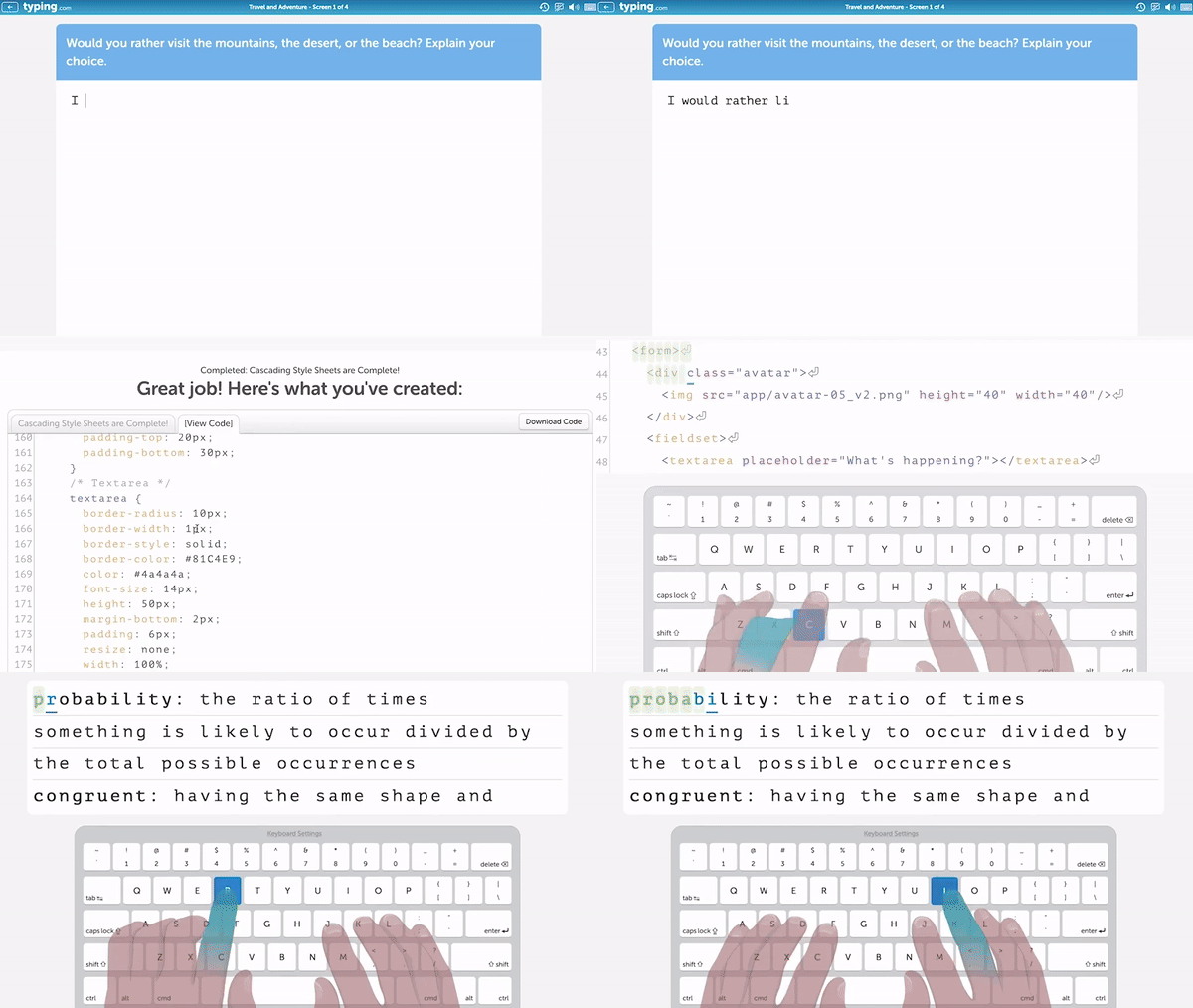
Learn to TypeGrade-based typing lessons, timed tests, and games that build speed and accuracy from kindergarten through high school. |
| Digital Citizenship | - |
Online safety, ethics, and privacy PLUS only content 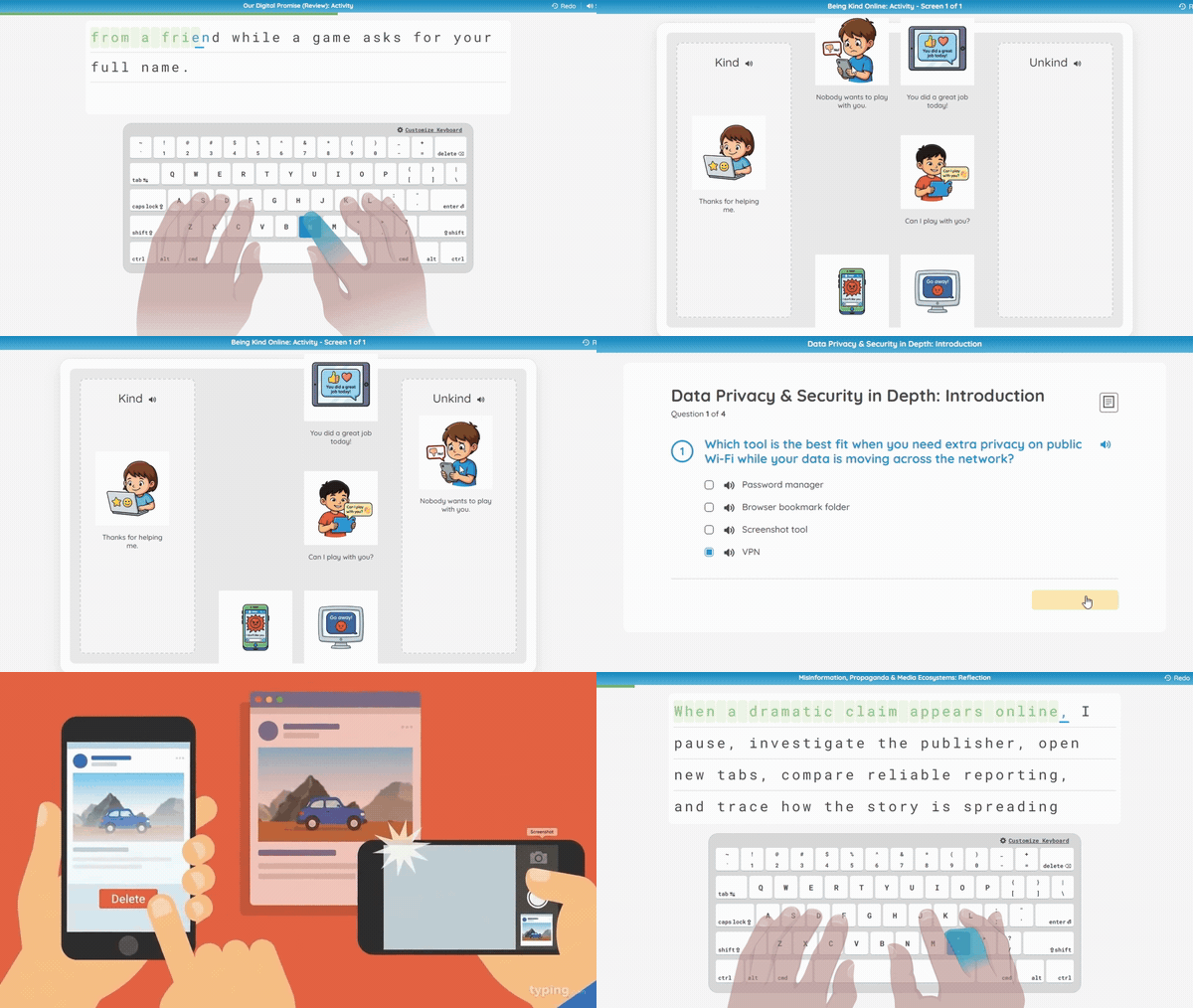
Digital CitizenshipLessons on online safety, digital ethics, privacy, and responsible technology use that support CIPA requirements. |
| Technology Foundations | - |
Core computer and hardware skills PLUS only content 
Technology FoundationsCore computer skills taught step by step: hardware, operating systems, file management, and troubleshooting. |
| AI Literacy | - |
Responsible and effective AI use PLUS only content 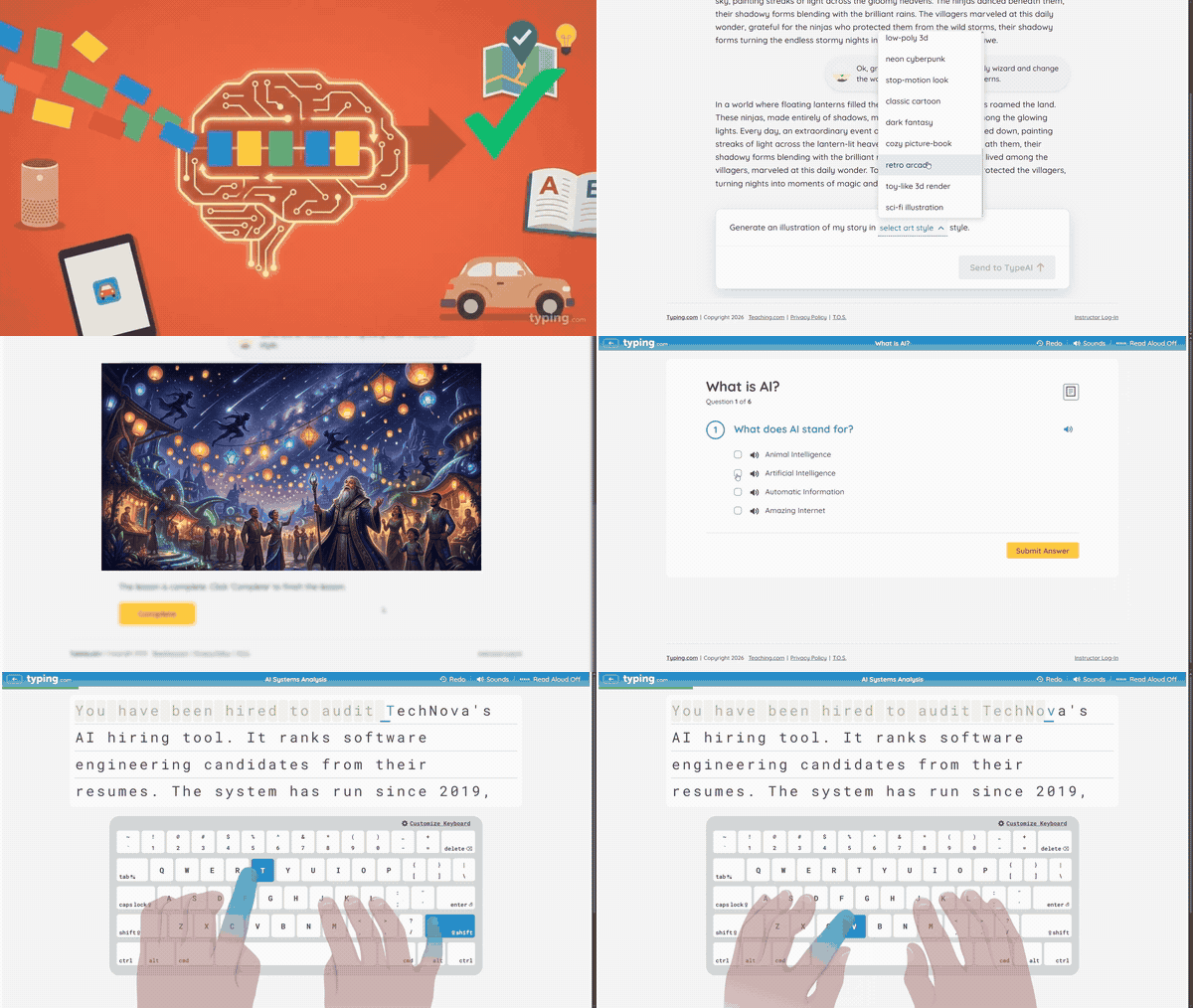
AI LiteracyAge-appropriate lessons on how AI works, where it helps, and how to use it responsibly and effectively. |
| Computer Applications | - |
Docs, spreadsheets & presentations PLUS only content 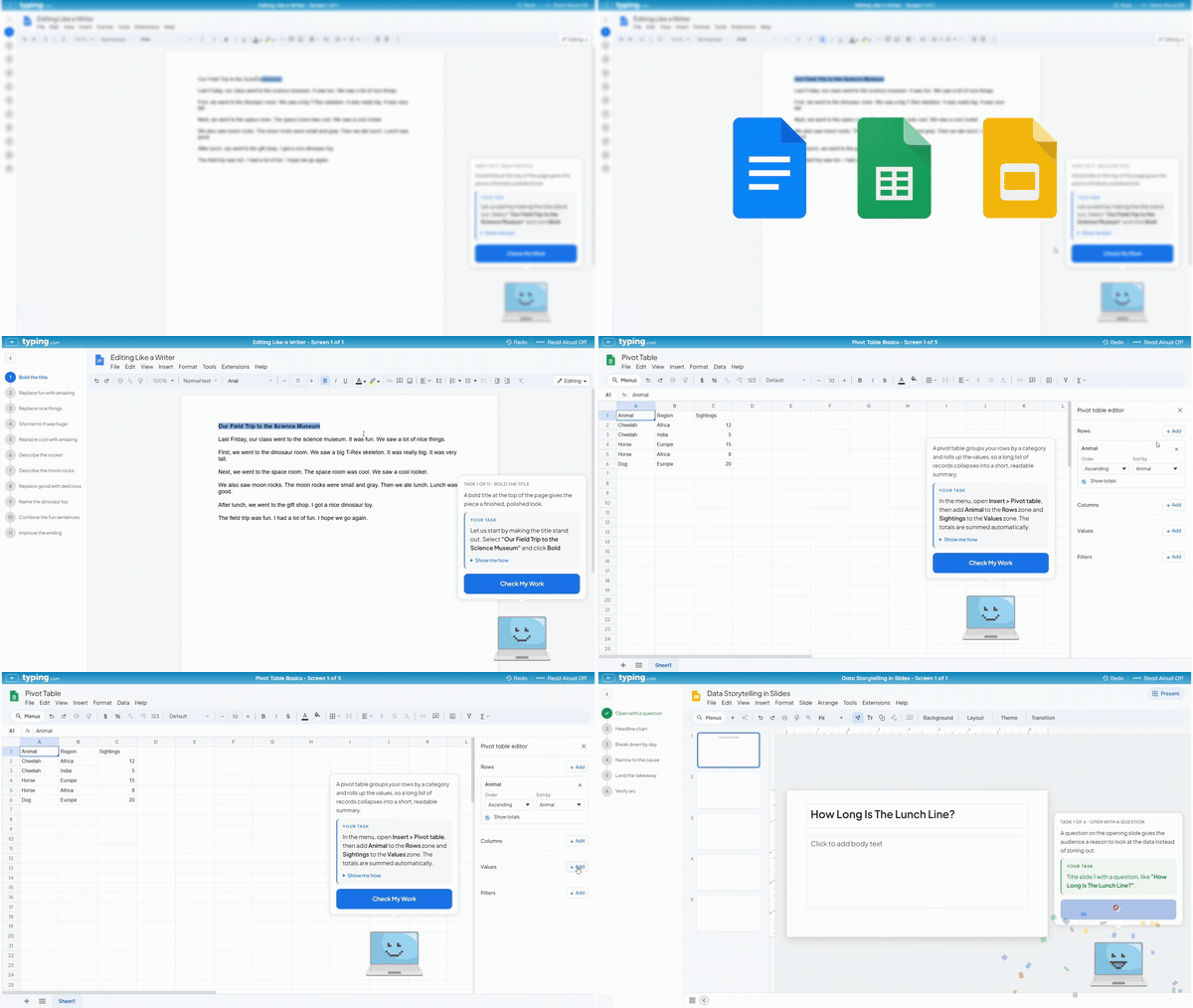
Computer ApplicationsAuto-graded practise in word processing, spreadsheets, and presentations, so students build real document skills. |
| Cross-Curricular | - |
Typing practise in every subject PLUS only content 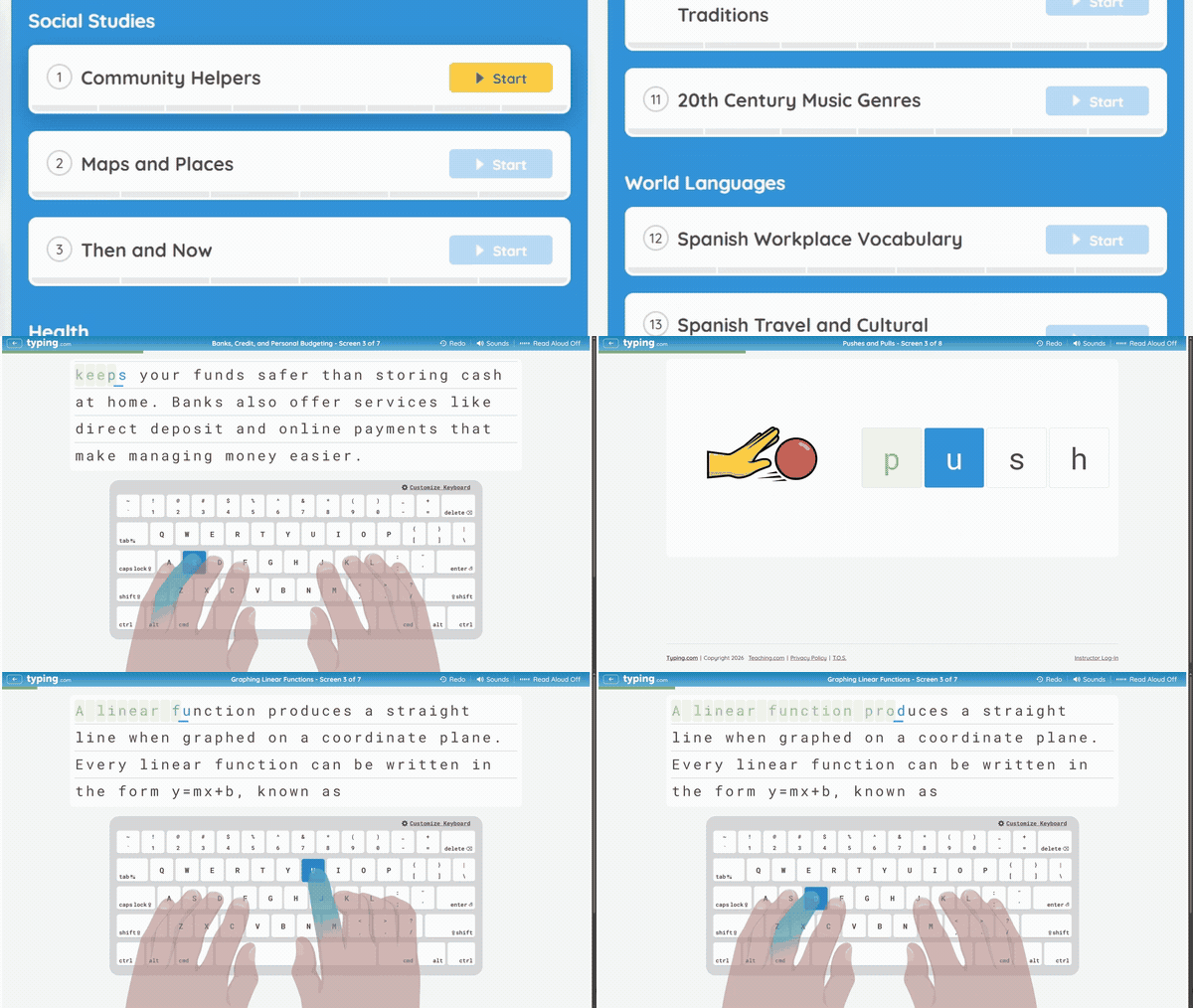
Cross-CurricularTyping and technology practise built around science, social studies, math, and language arts content. |
| Creative Writing | - |
Guided prompts and story starters PLUS only content 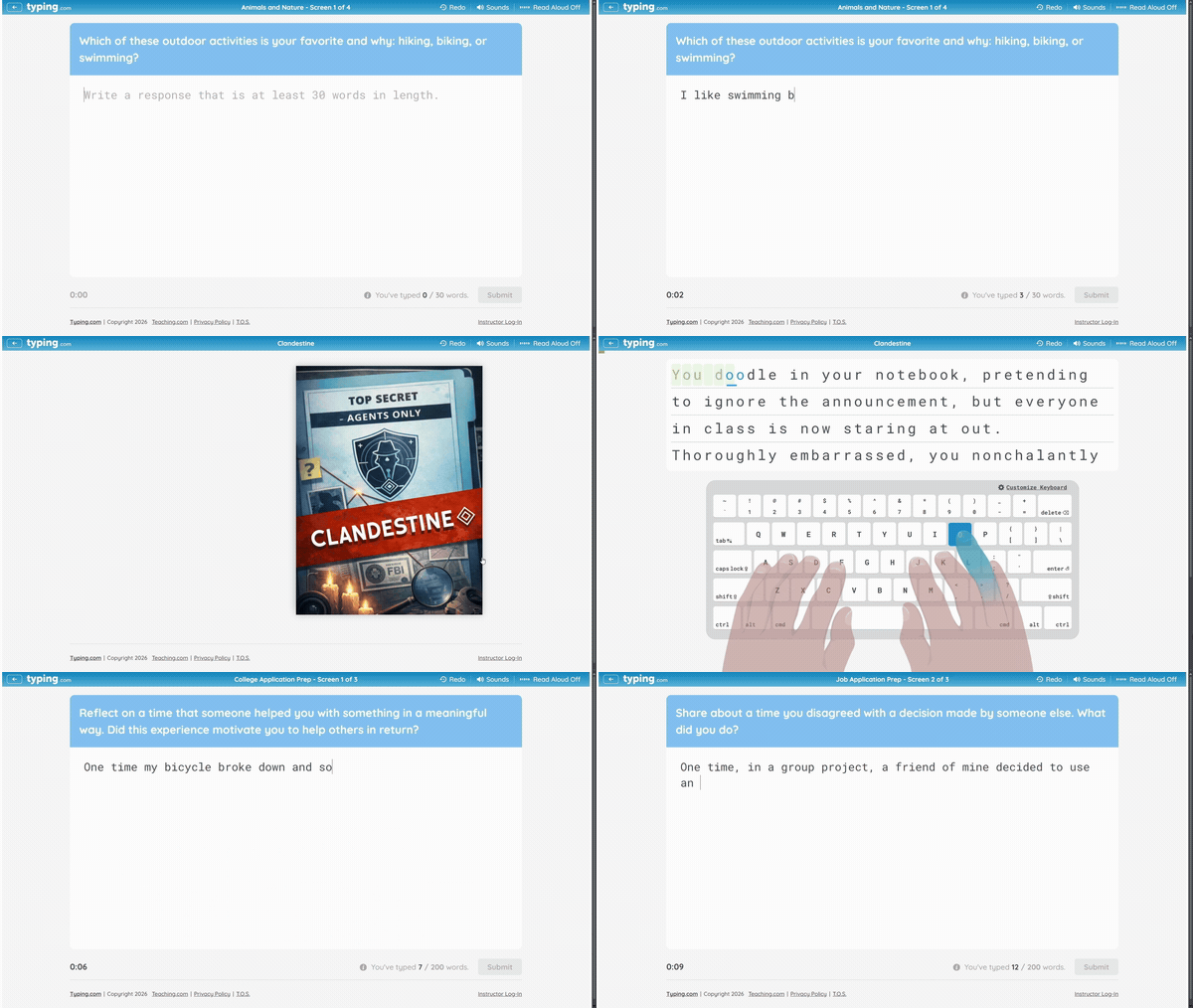
Creative WritingGuided writing prompts and story starters that turn typing practise into real composition work. |
| Coding & Computational Thinking | - |
Web coding and computational thinking PLUS only content 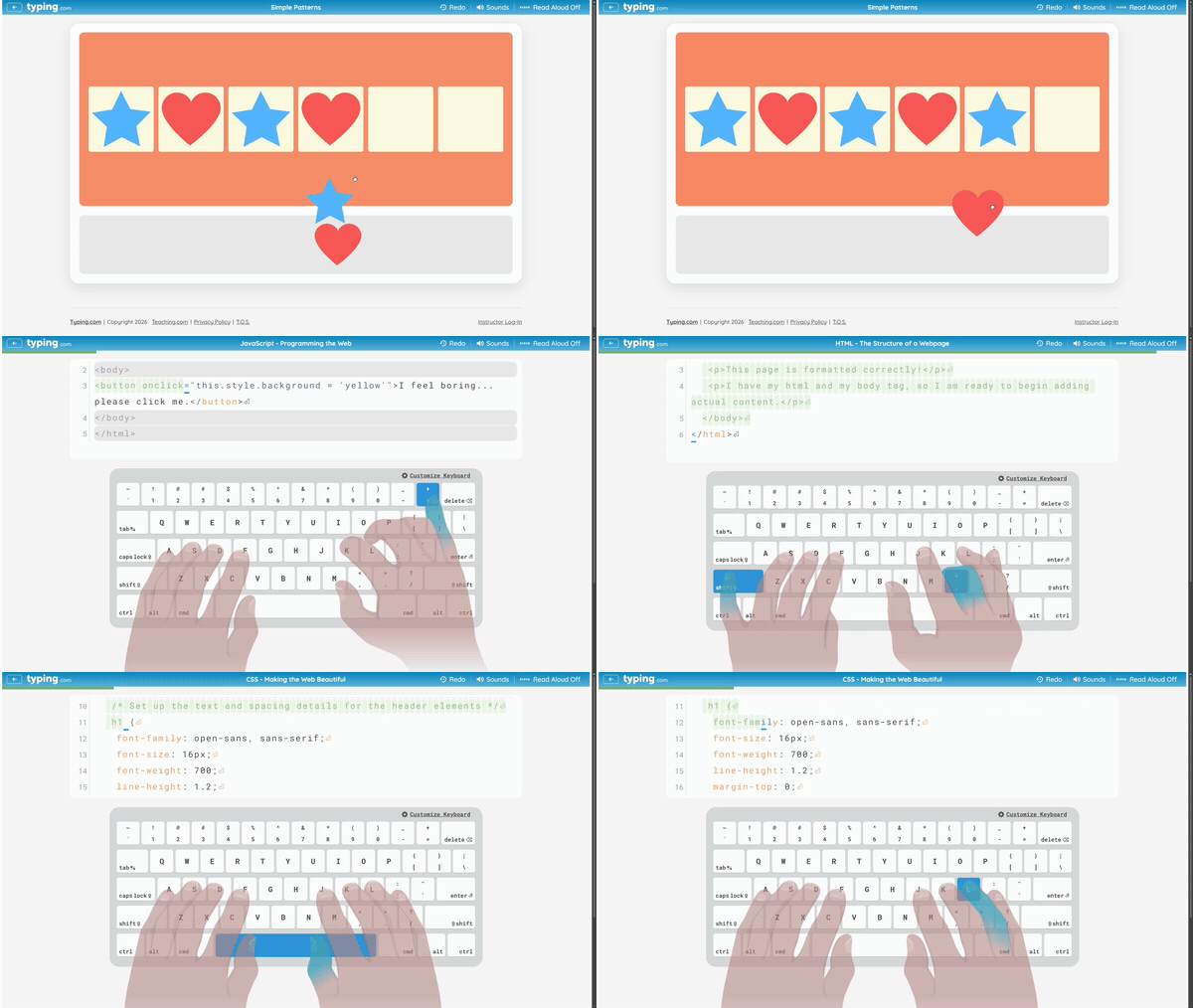
Coding & Computational ThinkingBuild webpages with HTML, CSS, and JavaScript, and develop computational thinking through pattern recognition, sequencing, and step-by-step problem solving. |
| Test Prep | - |
Reading, vocab, and written responses PLUS only content 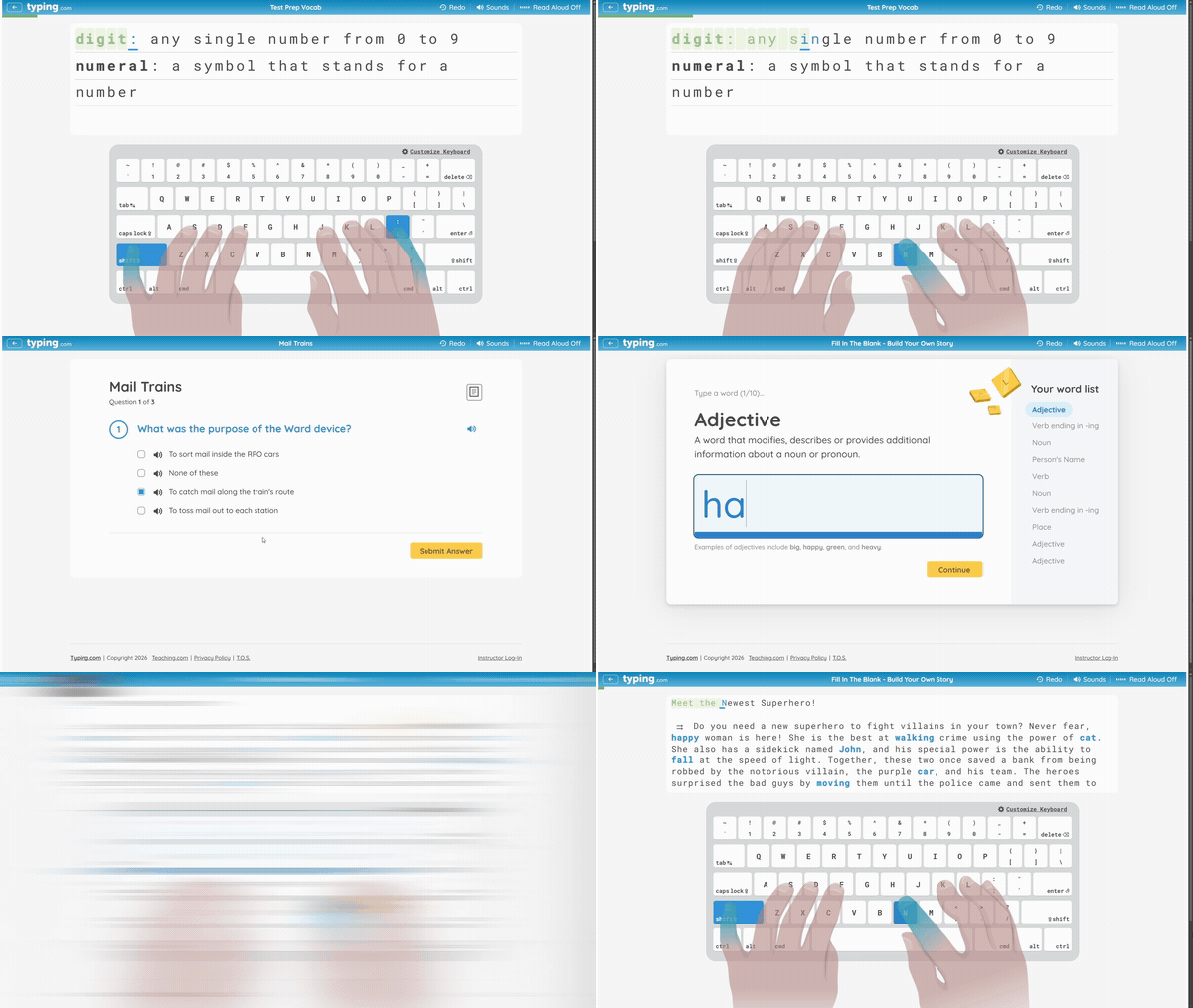
Test PrepStandards-aligned test practise covering test-prep vocabulary, reading-comprehension passages, fill-in-the-blank, and written responses (short answer, essay, and timed prompts), while building typing fluency. |
| Educator Features | ||
| Customisable Learning |
Classroom-level settings only
|
Classroom and student settings PLUS only content 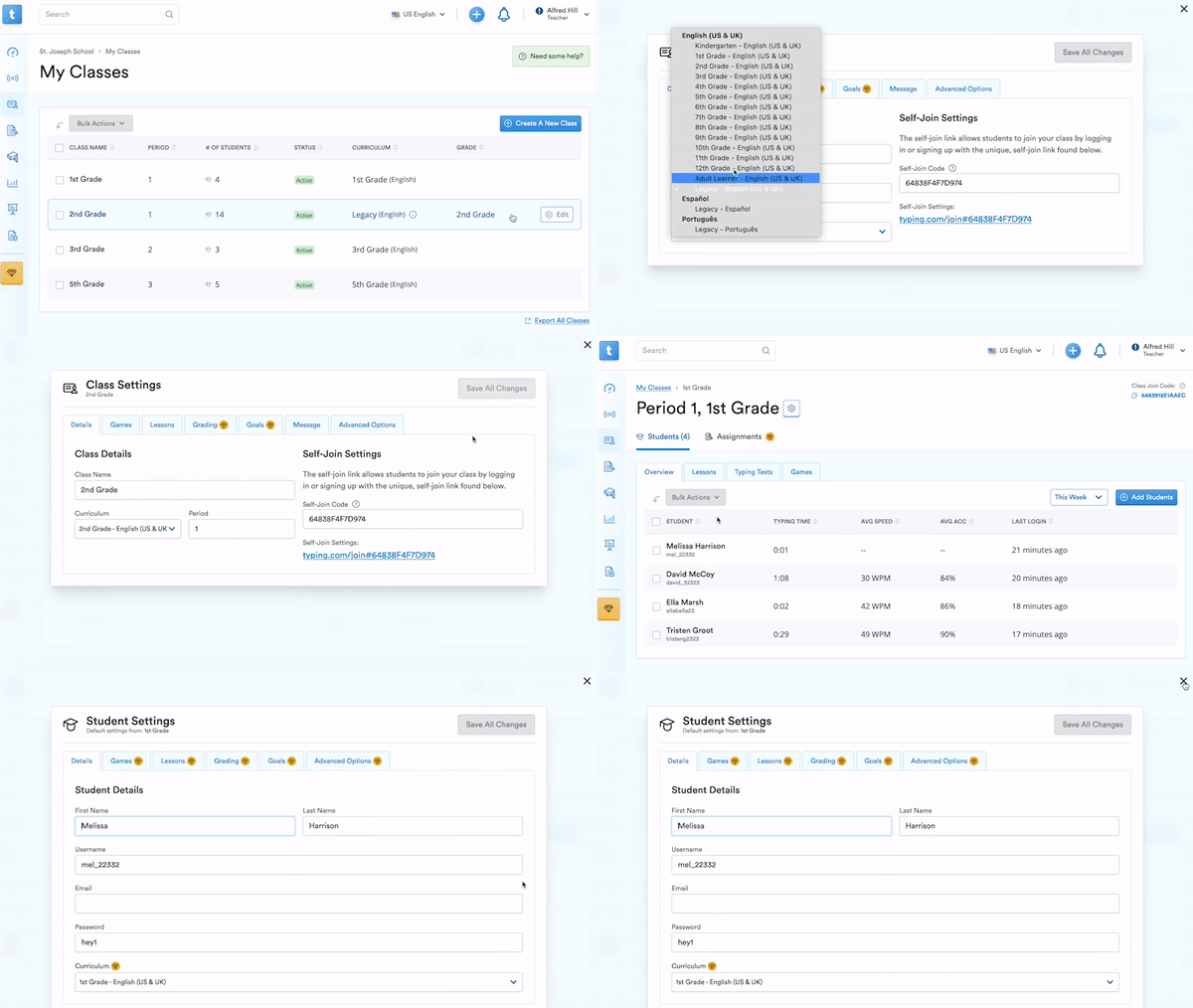
Customisable LearningCustomisable settings for each of your student gives you full control to build individualised education programmes (IEP) in Typing.com |
| Assignments | - |
Assign lessons, tests and games PLUS only content 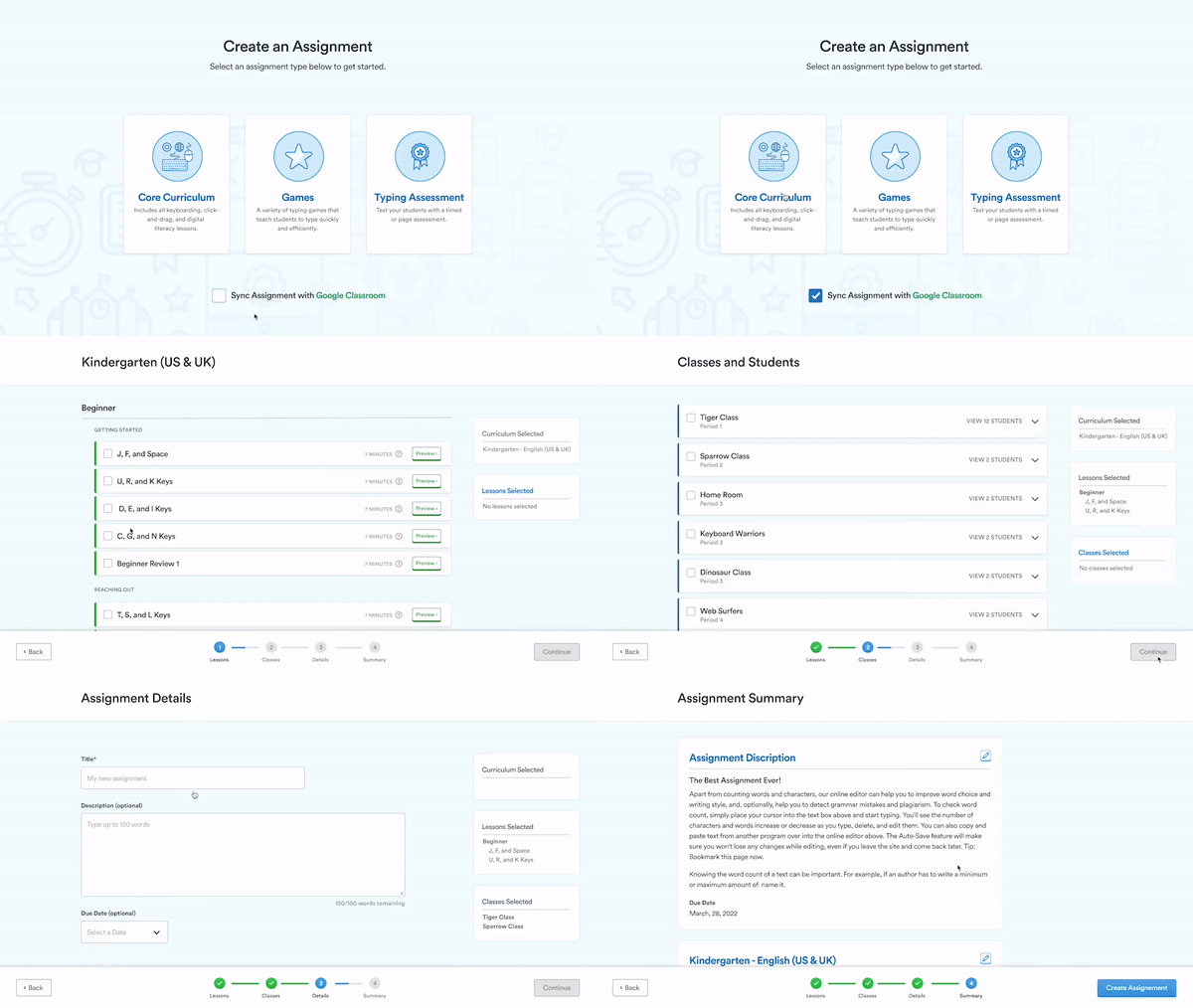
AssignmentsAssign lessons, tests and games to your class or individual students, then track student completion. Sync assignments with Google Classroom for a deeper integration |
| Account Management | - |
Dedicated account management Account ManagementEnjoy personalised support, efficient setup, and expert advice |
| Real-time Student Monitor | - |
Live student activity and progress PLUS only content 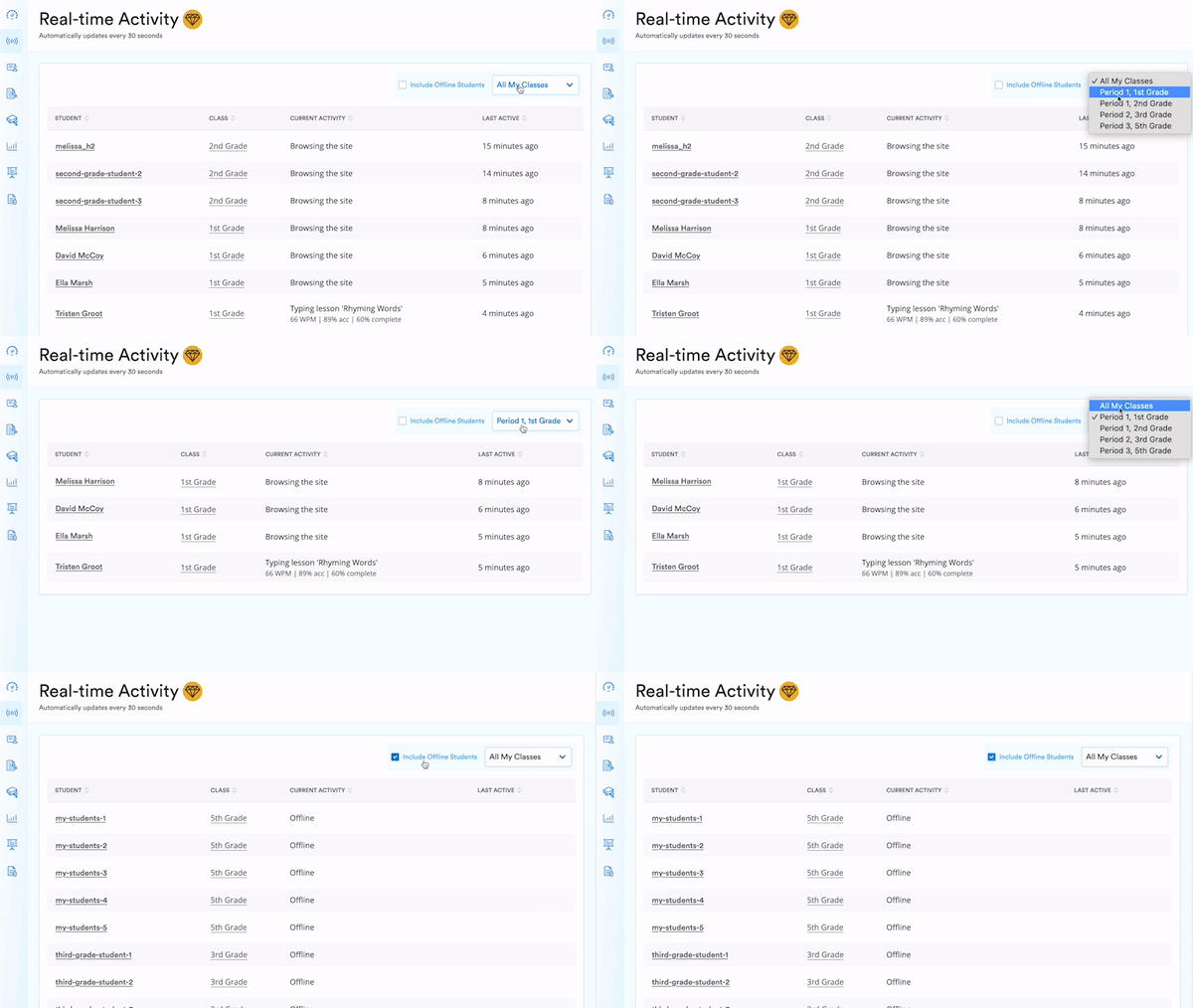
Real-time Student MonitorEffortlessly track student engagement in real-time, offering valuable insights for ensuring consistent class participation |
| Auto Grading | - |
Auto grading thresholds PLUS only content 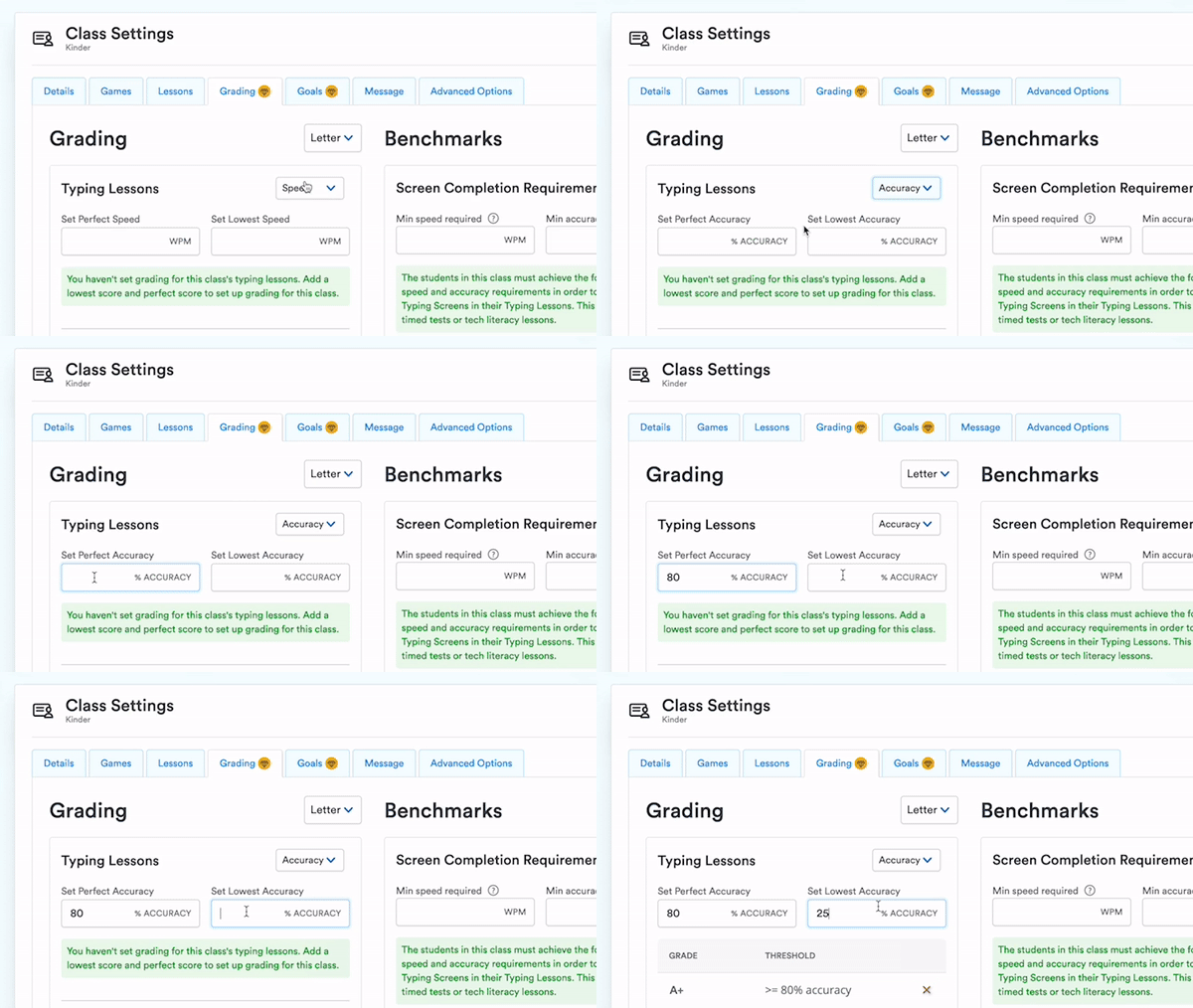
Auto GradingSet customisable grading thresholds to significantly reduce time spent grading |
| Customised Benchmarking | - |
Customised benchmarking PLUS only content 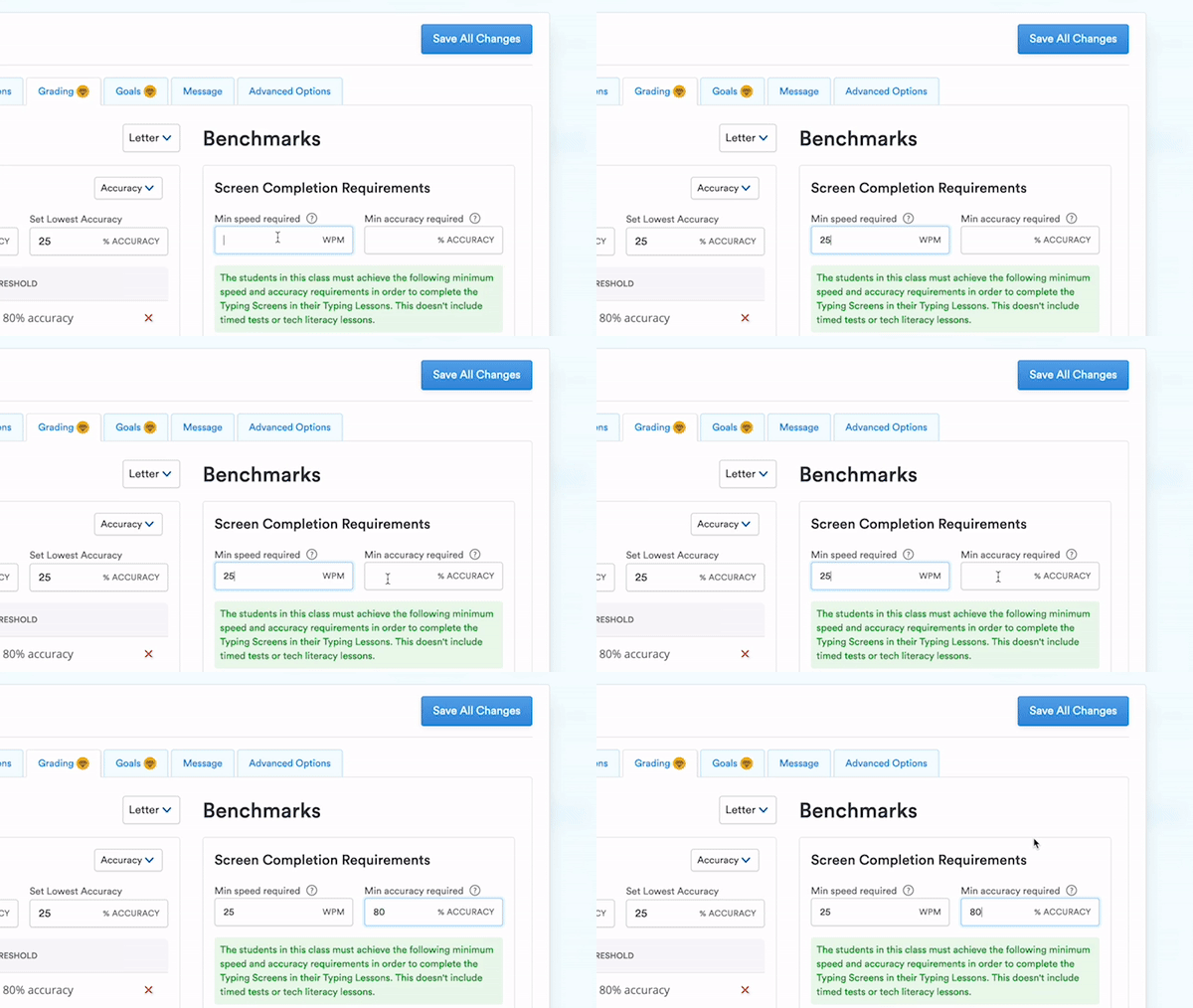
Customised BenchmarkingControl lesson progression with customisable speed and accuracy minimums |
| Customised Daily Goals | - |
Daily practise time goals PLUS only content 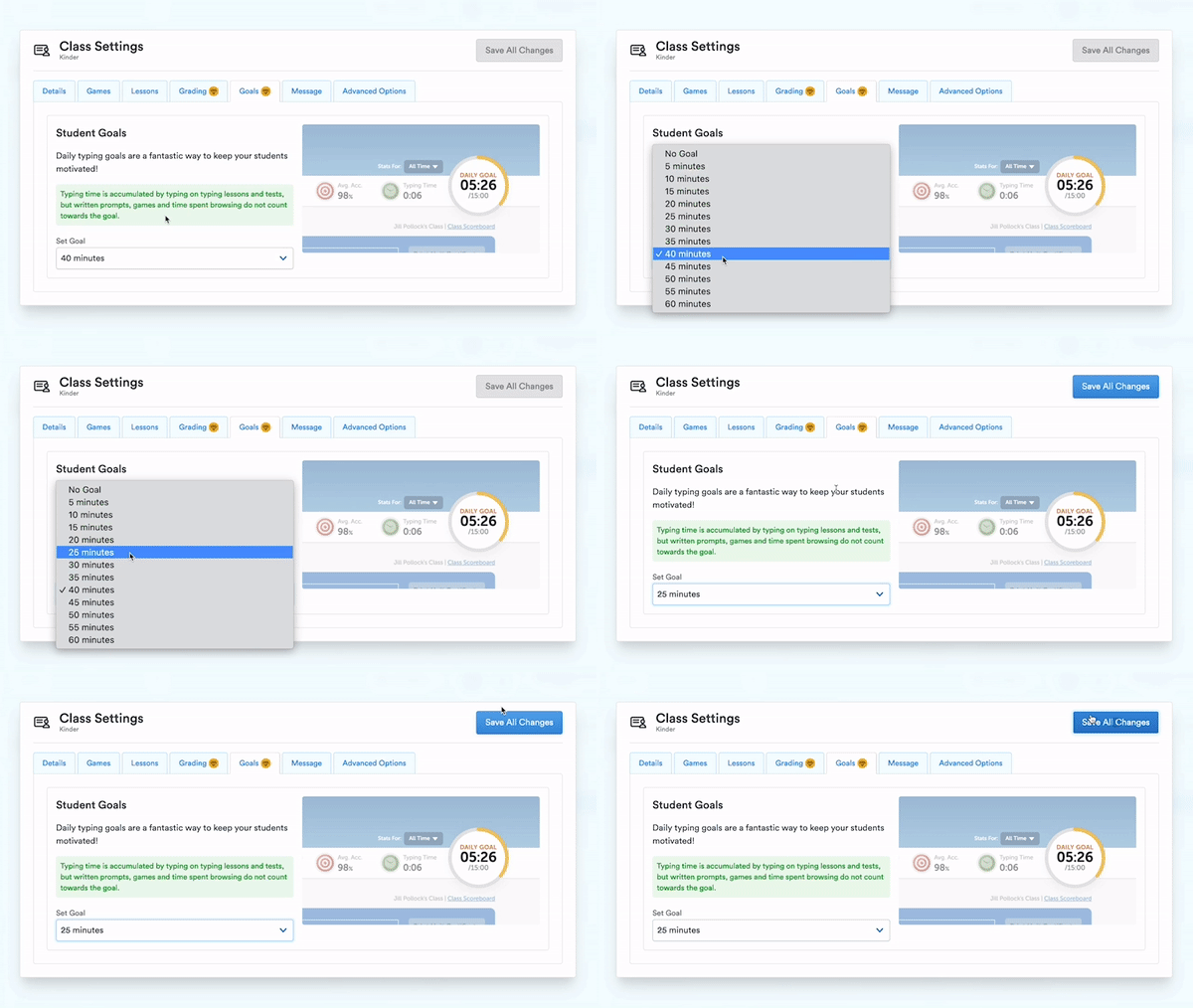
Customised Daily GoalsEncourage students to increase their time spent practising typing by setting daily practise time goals |
| Start Teaching Typing for FREE » | Generate a Quote Now » | |
Grade-based Adaptive Curriculum
Our curriculum is tailored to each grade level, and aligned with State, ISTE, and Common Core standards. We provide fun, engaging and effective lessons in digital literacy and cyber safety, along with an introduction to coding, to equip students with essential skills for their future in an increasingly digital world.















Frequently Asked Questions
Can’t find the answer to your question below?
Try our Support page.